
 Română
 English
 Deutsch
 Magyar
The frames at the entrance, the counter stands, the totems and the windows are space partners pay for. To sell it and keep it in order, you need to know, in every location, which spaces there are, how much they hold and what is in them right now.
Locations as they are
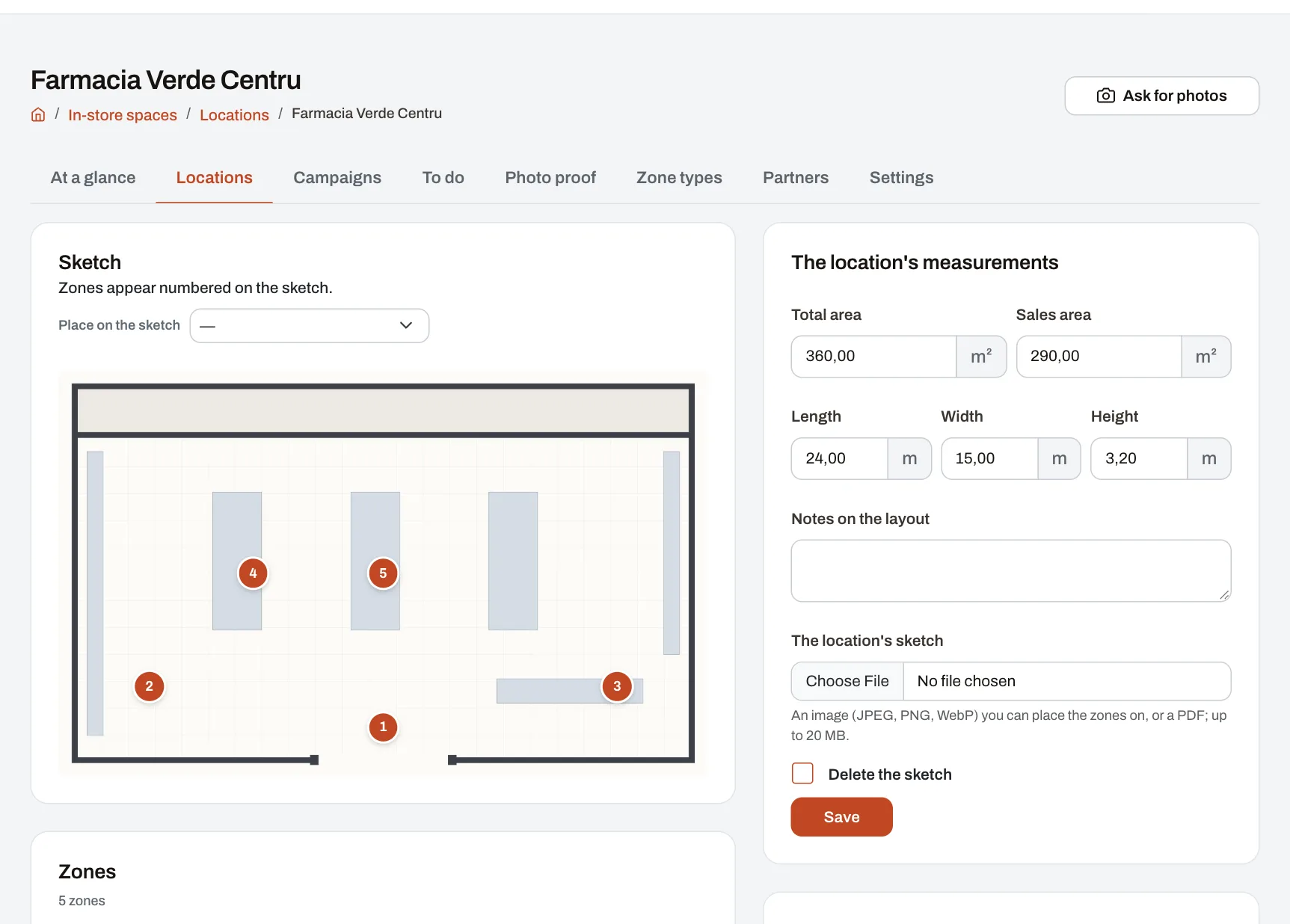
- Upload the location's sketch and its measurements (area, length, width), then place the zones on the sketch: "Totem right of the door", "Counter centre", "Entrance click frame".
- Each zone has its measurements, an example photo and, if it is a display space, how many faces it has and how much fits on one (two A2 posters, for instance).
- Zone types you have everywhere are defined once and added to all the chosen locations in one go.
Campaigns, from launch to take-down
- A campaign says what is displayed, where and for how long: "In November, partner X has two posters in the entrance frames, face A". Choose the locations and the kind of zone; the campaign reaches every matching place.
- Two campaigns never overfill a place: before launch, Pulsika tells you where there is no room left.
- Whoever puts campaigns up in each location is told when the campaign starts, confirms everything is up (with photos, if you ask for them) or says why it cannot be done. Delays are flagged to them first, then to the location's manager.
- Before the end, the location is reminded; afterwards it gets a task to take the materials down, and a late take-down shows.
Proof from the field
Ask one or more locations for photos at any time: whoever puts campaigns up there gets the request, sends the photos from their phone, and you accept them or send them back with a reason.
In scores, if you wish
Campaigns put up on time, days taken to put them up, refusals, take-downs on time, photos sent on time and how full the spaces are become indicators you can use in the scorecards of locations and people.
The module is not included in any plan: it is added separately and priced by the number of active locations.