
 Română
 English
 Deutsch
 Magyar
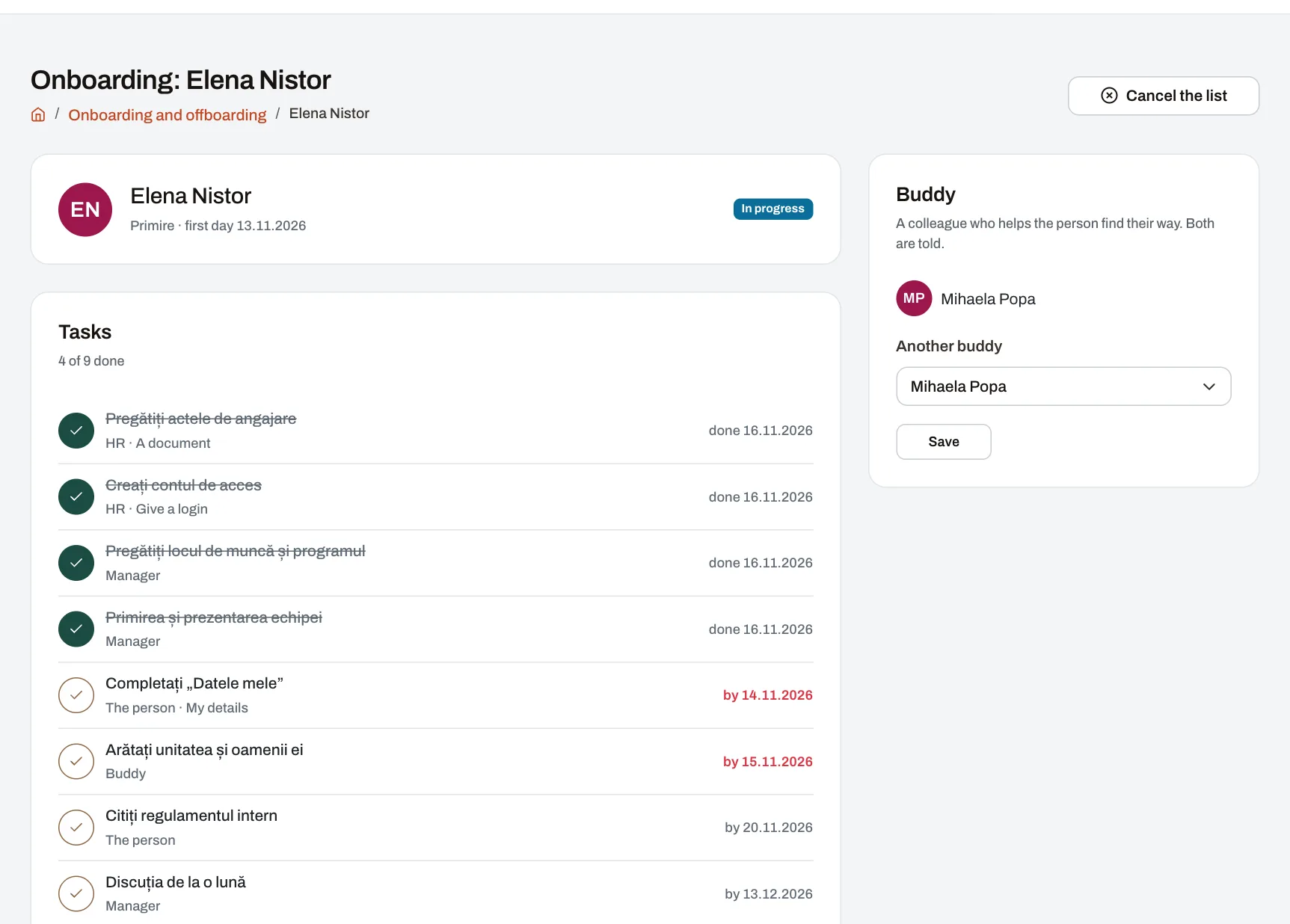
A new person’s first week says a lot about a company: do they have an account from day one, do they know whom to ask for help, did they get their uniform and the required training? Likewise, when someone leaves, the account must be closed on time and equipment returned. Onboarding and offboarding puts all of this on one list, with who does each thing and by when.
How it works
- Templates for positions, units, departments or areas (or for anyone), with tasks for HR, the manager, the person or the colleague helping them, each due a set number of days from the start or leaving date.
- A task can open straight a course, a knowledge base article, a document, “My details”, a survey, the account to give or close, or the equipment to return.
- The list starts by itself when a start or leaving date goes on the record — from the form, an import or the API — or by hand, from the person’s page.
- What can be checked ticks off by itself: a finished course, a survey answered after 30, 60 or 90 days.
- Reminders and late tasks: everyone sees their tasks on the dashboard and gets a reminder on the due date; HR learns what fell behind.
Example: a hotel group
A new receptionist starts on Monday. A week before, HR prepares her account and the manager picks a colleague to help her in the first days. On Monday she fills in her details, gets the course on the booking system and reads the check-in procedure. After 30 days she receives a short survey about how her start went.
Who sees what
- HR within its reach; the person’s direct managers; the person; the colleague helping them — each does their part. Nobody else finds the list.
Which plan
Every plan. Tasks tied to courses or surveys use those modules where the plan includes them. Pulsika comes with two starter lists in every language.