
 Română
 English
 Deutsch
 Magyar
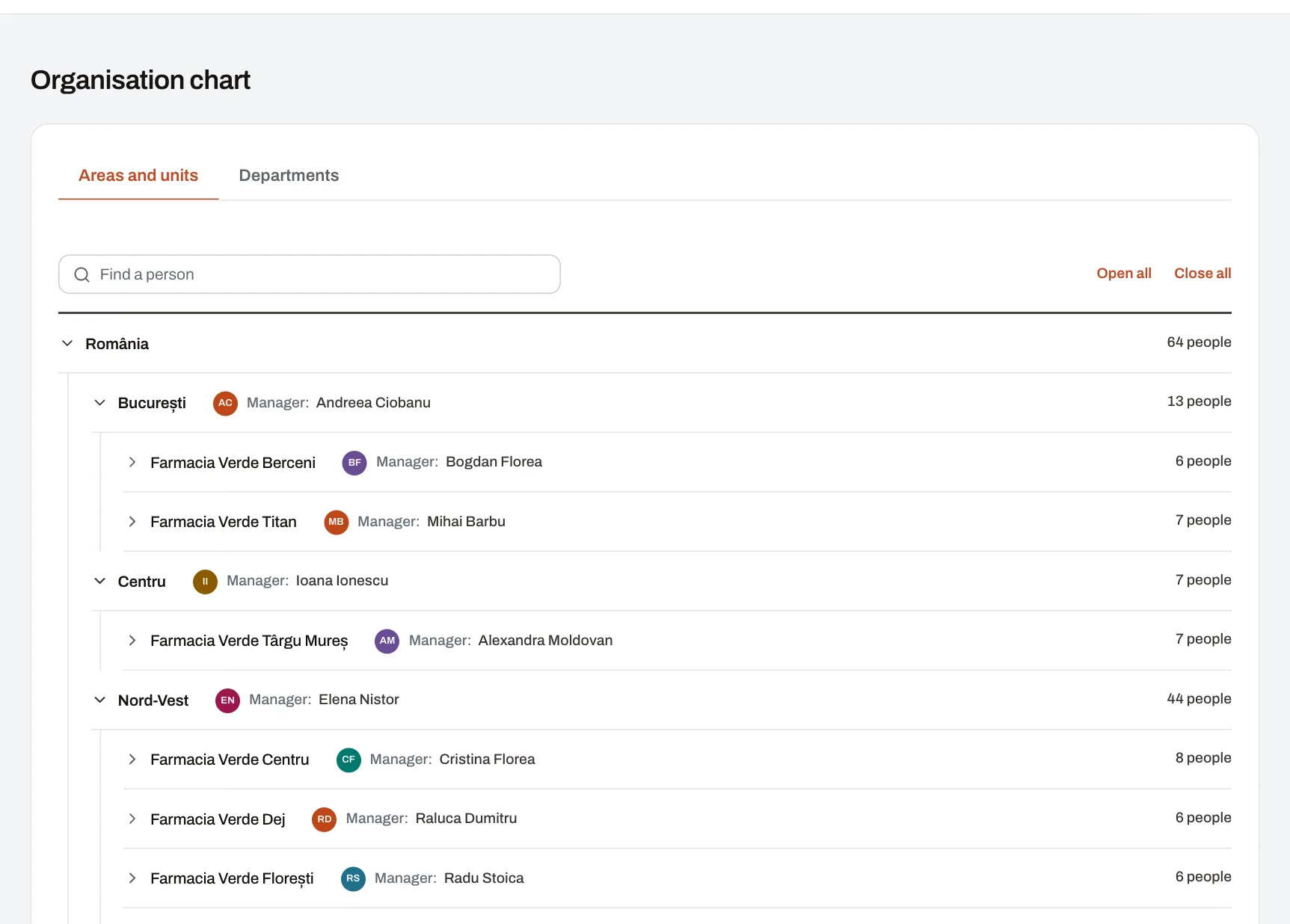
In a company with many locations, the question “who is responsible for the Leeds site?” should not take three phone calls. The organisation chart shows the structure as it is kept in Pulsika, up to date, to every colleague.
What it shows
- Two views of the same company: the locations — areas, down to the active units in them — and the departments.
- At every level: the managers assigned there and how many people work there now, including everything below.
- A unit’s or a department’s people appear when you open it: name, photo and position, as in the colleague directory.
- Search opens the chart straight at the person you look for.
Everything comes from the organisation
Nothing is drawn by hand: the chart is built from the areas, units, departments and placements HR keeps up to date anyway. When someone moves to another unit or takes on a new team, the chart changes by itself.
Who sees what
- Every colleague sees the chart and the people who can sign in to Pulsika.
- People without an account are named only to those who may open their record; others see them counted.
Which plan
Every plan, the free one included.