

 Română
 English
 Deutsch
 Magyar
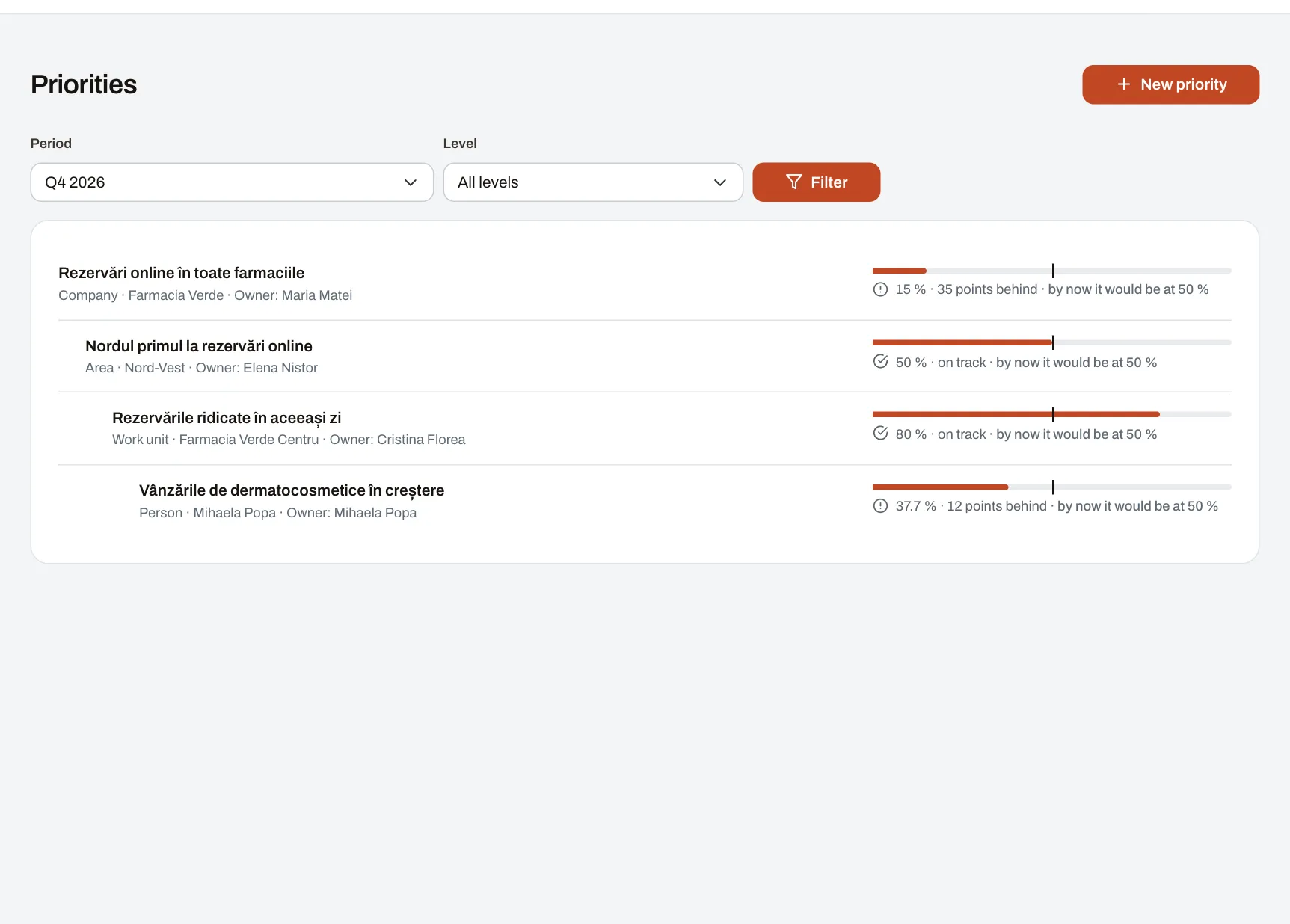
KPI scores measure each month’s work. Priorities say where the company is heading: opening two locations, a level of customer satisfaction, a project finished by summer. You write them once, link them together, and progress is visible at any time, without a spreadsheet passed from one person to the next.
How it works
- Priorities at every level: the company’s, an area’s, a unit’s or a department’s, a person’s, for a quarter or a year.
- Linked upwards: a unit’s priority links to one of its area or of the company covering the same period, so everyone sees what they contribute to.
- Measured by key results: a number updated by hand, with notes and history; a step to tick off; or a KPI metric your company already has, read straight from the data. Where there is no data it stays “no data”, never zero.
- Progress said in words: each priority shows how much is done compared with where it should be by now, for example “on track” or “12 points behind”.
Example: a bakery with several shops
For the quarter, the company sets out to grow morning sales. The northern area links a priority of its own to it, with one key result read from the 7-to-10 sales metric and one to tick off: the new delivery schedule. A shop manager sees their part and, in their one-to-one, talks to the area manager about what is still missing.
Who writes and who sees
- The company’s priorities are written by those your company gives the right; an area’s, unit’s or department’s by the managers who cover it; a person’s by them and their managers.
- Every colleague sees published priorities, except personal ones, which only the person and those who may write them see.
- Personal priorities can be switched off by your company and are off from the start where employee representatives decide on monitoring.
Which plan
Priorities are part of the Performance module, from Starter up, and can also be read and updated through the company API.