

 Română
 English
 Deutsch
 Magyar
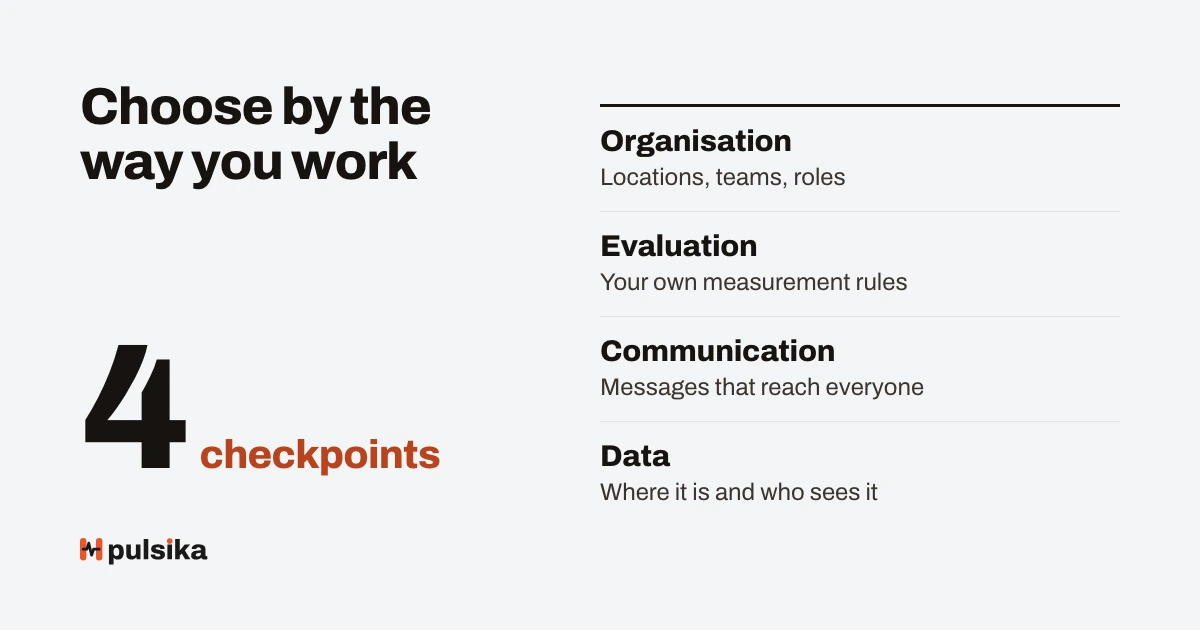
Choose HR software for a company with several locations by how well local managers and employees without a desk work with it, not by the length of the feature list. The criteria that decide are: fit with your processes, use on a phone, access rights for each location, data protection, leaving with your data and the total cost over three years.
The guide gives you a weighted evaluation matrix calculated for three fictitious vendors, a total cost calculation that shows why the monthly price is misleading, questions for vendors tied to the articles of the GDPR and the Data Act, and the criteria for a pilot.
Quick answer. First write down 5–8 processes the application must handle, then compare 3–4 vendors on a weighted matrix: processes, use on a phone, rights per location, data protection, export and integration, cost over three years, support. Rule out from the start any vendor without a data processing agreement or without a full export. Decide between the last two through a pilot in two locations.
What the terms used in choosing mean
- HR software (HRMS) is the application that keeps the records of employees and of people processes: files, leave, evaluations, training, documents, communication.
- Software as a service (SaaS) means that the application runs at the vendor and is paid for by subscription; the company installs nothing on its own servers.
- The total cost of ownership is all the costs over a given period: subscription, implementation, the team’s internal time, integrations, training and exit.
- The evaluation matrix is a table of weighted criteria, in which each vendor gets a mark on each criterion; the weighted total makes comparison possible.
- The pilot is real use of the application, in a limited group of locations and for a set period, with success criteria written in advance.
- The processor is, in GDPR language, the vendor that processes employees’ data on behalf of the company (the controller), on the basis of a contract.
What changes when the company has several locations
An application that works well for an office of 30 people can fail in a chain of 20 units. The difference does not lie in the number of features, but in how the work is divided.
- Local managers do most of the work. They approve leave, evaluate, receive documents. The application has to be simple for them, not just for HR.
- Many employees have no computer. They work at the till, at reception, in the field. The phone is their only access.
- Each manager must see only their own location. A “manager” role that sees the whole company is a confidentiality risk. The details are in the guide on roles and access rights.
- Comparisons between locations matter. Reports must be filterable by unit, area and job.
- People move between units. The application must follow the current placement, with history, without manual changes to rights.
The selection criteria and how to check them
Each criterion is checked differently: some in a demonstration, others only in the contract or in the pilot. The table shows where you find the answer and which signal should stop you.
| Criterion | What you check | Where you check | Warning sign |
|---|---|---|---|
| Fit with the processes | The 5–8 processes you wrote down, walked through end to end | A demonstration on your scenarios | “It can be configured” without being shown |
| Use on a phone | A leave request, confirming a document, seeing the score, from a phone | Pilot, with real employees | Features available only on a computer |
| Rights per location | A manager sees only their unit; temporary cover | A demonstration with two manager accounts | Rights by role only, with no area |
| Data protection | Processing agreement, where the data is, sub-processors, CNP protected | The contract documents | No agreement or no list of sub-processors |
| Export and integration | Full export of the data; the link with payroll | Contract and an export test | Export only “on request, at a charge” |
| Total cost over three years | Subscription, implementation, internal time, integrations | The written offer, your own calculation | Prices that rise without written rules |
| Support and implementation | Who configures, who imports the data, response times | Contract, a conversation with the implementation team | Implementation left entirely to the customer |
The evaluation matrix: a worked example
The matrix turns impressions from demonstrations into an explicit comparison. Set the weights before the first demonstration, so that you do not adjust them to suit the vendor you prefer.
Hypothetical example. Three fictitious vendors, A, B and C, marked from 1 to 5 on each criterion by a panel made up of HR, an area manager and someone from IT.
| Criterion | Weight | A | B | C |
|---|---|---|---|---|
| Fit with the processes | 25% | 4 | 5 | 3 |
| Use on a phone | 20% | 3 | 4 | 5 |
| Rights per location and data protection | 15% | 5 | 3 | 4 |
| Reports by location | 10% | 3 | 4 | 3 |
| Export and integration | 10% | 4 | 3 | 4 |
| Total cost over three years | 10% | 3 | 2 | 4 |
| Support and implementation | 10% | 4 | 3 | 4 |
| Weighted total | 100% | 3.75 | 3.70 | 3.85 |
A’s total is 4 × 0.25 + 3 × 0.20 + 5 × 0.15 + 3 × 0.10 + 4 × 0.10 + 3 × 0.10 + 4 × 0.10 = 1.00 + 0.60 + 0.75 + 0.30 + 0.40 + 0.30 + 0.40 = 3.75. For B the result is 3.70, for C 3.85.
The difference between the first and the last is 0.15 points on a scale from 1 to 5. A single mark changed by one point on the criterion weighted at 25% moves the total by 0.25 and can reverse the ranking. The right conclusion: the matrix has removed the large differences, but it has not decided. The pilot decides between the first two.
Remember. Some criteria cannot be offset: a vendor without a data processing agreement or without a full export is ruled out before the matrix, however good its other marks. Write these knock-out criteria down separately.
The total cost over three years
The price per employee per month is the most visible cost, but rarely the only one. Calculate the cost over three years, because implementation and internal time are paid at the start, while the subscription adds up.
| Cost (150 employees, fictitious data) | Vendor X | Vendor Y | How it is calculated |
|---|---|---|---|
| Subscription over 36 months | 108,000 lei | 86,400 lei | 150 × 20 lei × 36 / 150 × 16 lei × 36 |
| Implementation (configuration, import) | 15,000 lei | 30,000 lei | From the offer |
| The team’s internal time | 9,600 lei | 16,000 lei | 120 hours / 200 hours × 80 lei |
| Integration with payroll | 8,000 lei | 8,000 lei | From the offer |
| Total over three years | 140,600 lei | 140,400 lei | The sum of the rows |
| Real cost per employee per month | 26.04 lei | 26.00 lei | Total ÷ (150 × 36) |
Vendor Y looks 20% cheaper on the subscription (16 lei against 20), but the total cost over three years is practically the same. If headcount grows, Y’s advantage on the subscription counts for more; if implementation runs late and takes more internal time, it shrinks. Include the exit cost in the calculation too: exporting the data and any migration.
What to ask vendors
Send the questions in writing, before the demonstration, and ask for written answers. A vague answer to a contract question is itself a piece of information.
About data and the GDPR
- Do you sign a data processing agreement that contains what GDPR art. 28(3) requires, including deleting or returning the data at the end and the right to audit?
- Where is the data hosted and who are the sub-processors? How do we learn about a change to them, so that we can object (art. 28(2))?
- How is the CNP protected: encryption, masked display, a separate right?
- How quickly do you notify us of a security incident, so that we can meet the 72-hour deadline towards the authority (art. 33)?
About leaving and switching vendor
- Can we export all the data, in an open format, at any time, at no extra cost?
- What notice period, transition period and data retrieval period does the contract provide on termination?
- What happens to the data after termination and how do you confirm deletion?
About use and implementation
- Who configures the application and who imports the existing data? How long does it take?
- What does a unit manager see and what does an employee see on a phone? Will you show us with two different accounts?
- What makes the price go up: number of employees, modules, locations, storage?
Since 12 September 2025, Regulation (EU) 2023/2854, the Data Act, has applied. For data processing services (cloud), art. 25 requires written clauses for switching to another provider: a notice period of no more than two months, a transition period of, as a rule, no more than 30 days, a data retrieval period of at least 30 days and complete deletion at the end.
Art. 29 prohibits switching charges from 12 January 2027. Recital 81 explicitly names SaaS services, and art. 31 provides some exceptions; check how they apply to your contract with your lawyer.
How to run the selection, step by step
- Write down the processes. 5–8 specific processes, from the leave request to the monthly evaluation, with who does each step.
- Set the knock-out criteria: a processing agreement, a full export, data hosted under conditions the company accepts.
- Set the matrix weights before any demonstration.
- Choose 3–4 vendors and send them the processes and the written questions.
- Ask for demonstrations on your scenarios, with a unit manager in the room.
- Fill in the matrix individually, then discuss the large differences in marks.
- Calculate the total cost over three years for the first two.
- Run a pilot of 4–6 weeks in two locations of different sizes.
- Check the contract with your lawyer and the data protection officer.
- Plan the launch in waves, not in all locations at once.
What a useful pilot looks like
A pilot without success criteria written in advance ends in impressions. Set them before the start, with measurable values, and compare at the end.
- Use: what share of the employees in the pilot signed in at least once and did a real action, for example a leave request.
- Time: how long approving a request takes, compared with the current process.
- Errors: how many imported records had to be corrected.
- The managers’ opinion: two or three questions at the end, with a scale and a comment.
- Support: how many questions were sent to the vendor and how quickly they were answered.
Practical tip. For the pilot, choose one large location and one small one, with managers who differ in how used they are to technology. An application that works only in the location with the most enthusiastic manager will not work across the whole chain.
How you can test Pulsika
Pulsika is a platform for the performance, communication and training of teams in companies with several locations, and the criteria above can be checked directly, without a sales conversation. On the demo companies page you will find five fictitious companies with sample data in every module; enter as an HR officer, a manager or an employee and compare what each one sees. The demo data is rebuilt every night, so you can try anything.
For the contract questions, the security page describes hosting in the EU, encryption, two-step sign-in, exporting the company’s data and the GDPR tools. The subscriptions and what each one includes are on the pricing page; you can try every module free, without a card.
Common mistakes when choosing HR software
- Choosing by the feature list. Features nobody uses bring nothing. Fix: compare on your own processes.
- Demonstrations for HR only. Local managers discover the problems after signing. Fix: a unit manager on the panel and in the pilot.
- Weights set after the demonstrations. The matrix confirms the preference instead of testing it. Fix: weights fixed beforehand.
- Only the monthly price compared. Fix: the total cost over three years, with internal time.
- Exit ignored. The data stays locked in with the vendor. Fix: a full export tested in the pilot and written termination clauses.
- Launching in all locations at once. Problems appear everywhere at the same time. Fix: waves of a few locations.
Frequently asked questions
Which criteria matter most for HR software for several locations?
What matters most is fit with the real processes, use by local managers and by employees without a computer, access rights limited to each location and data protection. The total cost over three years and leaving with your data come right after. The length of the feature list matters little if the people in the units do not use the application.
How many vendors are worth comparing?
Compare three or four vendors in detail, after a first screening on the knock-out criteria. More takes up demonstration time without improving the decision. Fewer than three does not give you a reference for price and quality. The pilot is usually run with one or two remaining vendors.
How long does a pilot for an HR application last?
A pilot for an HR application usually lasts four to six weeks, so that it covers at least one full monthly cycle: leave requests, approvals, documents, possibly an evaluation. Any shorter and you see only the first impression. Any longer and the pilot becomes an unplanned launch, without the vendor’s full support.
What must the contract with the HR software vendor contain?
Besides the price and the service level, the contract must contain the data processing clauses the GDPR requires in art. 28: the controller’s instructions, confidentiality, security, sub-processors, deleting or returning the data at the end and the right to audit. For cloud services, the Data Act’s clauses on switching provider are added.
How do I compare the prices of HR software vendors?
Compare the total cost over three years, not the monthly price: the subscription for the estimated headcount, implementation, the team’s internal time, integrations and the exit cost. Divide the total by the number of employees and of months to get a comparable real cost. Ask in writing for the rules by which the price rises.
Should unit managers be involved in the choice?
Yes, unit managers should be involved, because they do most of the daily work in the application: approvals, evaluations, documents. Include at least one unit manager on the evaluation panel and in the pilot. Their opinion on use on a phone and on the time it takes counts for more than the impression from the demonstration.
What do you do with the data from the old application?
The data from the old application is cleaned before the import, not after. Decide what you bring across: usually active employees, placements, leave balances and documents with a due date. Older history can be kept as an exported archive. Test the import in the pilot and ask the vendor to say who does it and how long it takes.
What to do next
Write down today the 5–8 processes the application must handle and fix the matrix weights. Then check access rights with the guide on roles and rights and leave records with the guide on leave without Excel. When you have the list, put it to the test: enter the Pulsika demo company as a unit manager and go through your processes one by one.